Open the install guide from the node
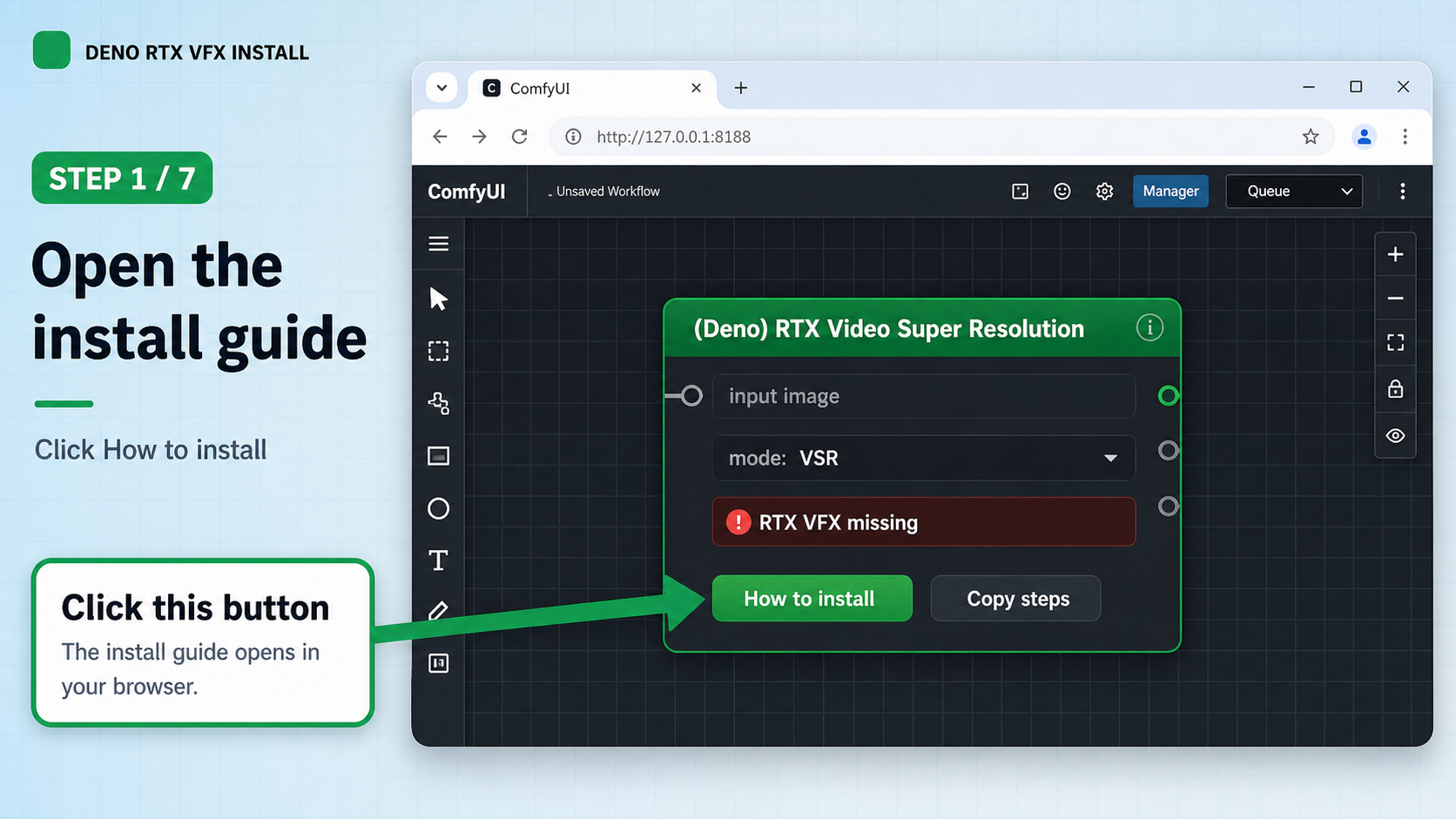
In ComfyUI, add (Deno) RTX Video Super Resolution. If NVIDIA RTX VFX is missing, click How to install.
How to install.Use this guide when the DENO RTX Video Super Resolution node says NVIDIA RTX VFX is missing. You do not need to understand technical setup details. Just follow each step and check what is shown on screen.
nvidia-vfx from https://pypi.nvidia.com for the ComfyUI app you confirm.
Do not skip ahead. Each step has one action and one check.
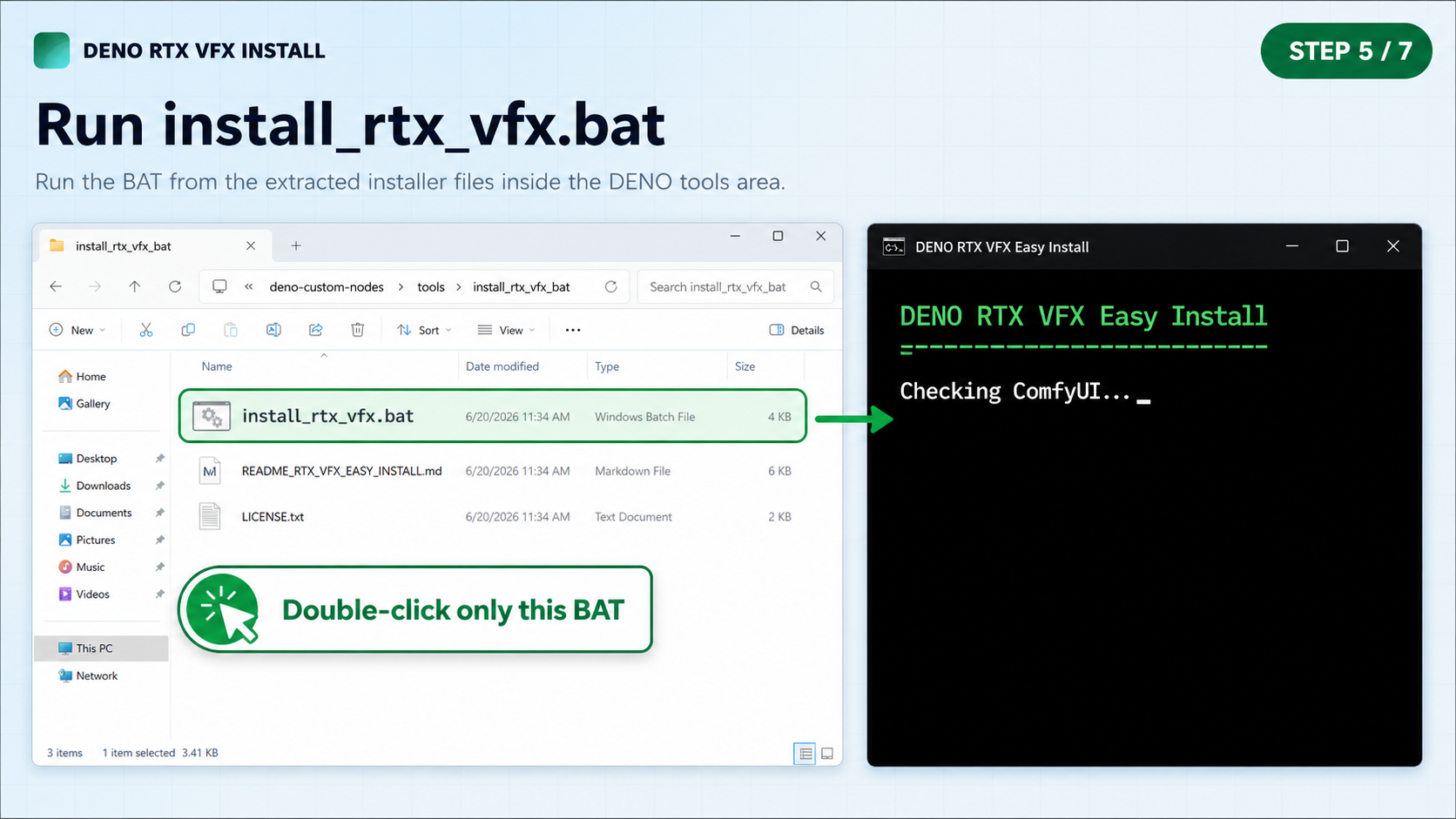
This is the DENO custom node tools folder. The installer should be handled here, not from a random folder.
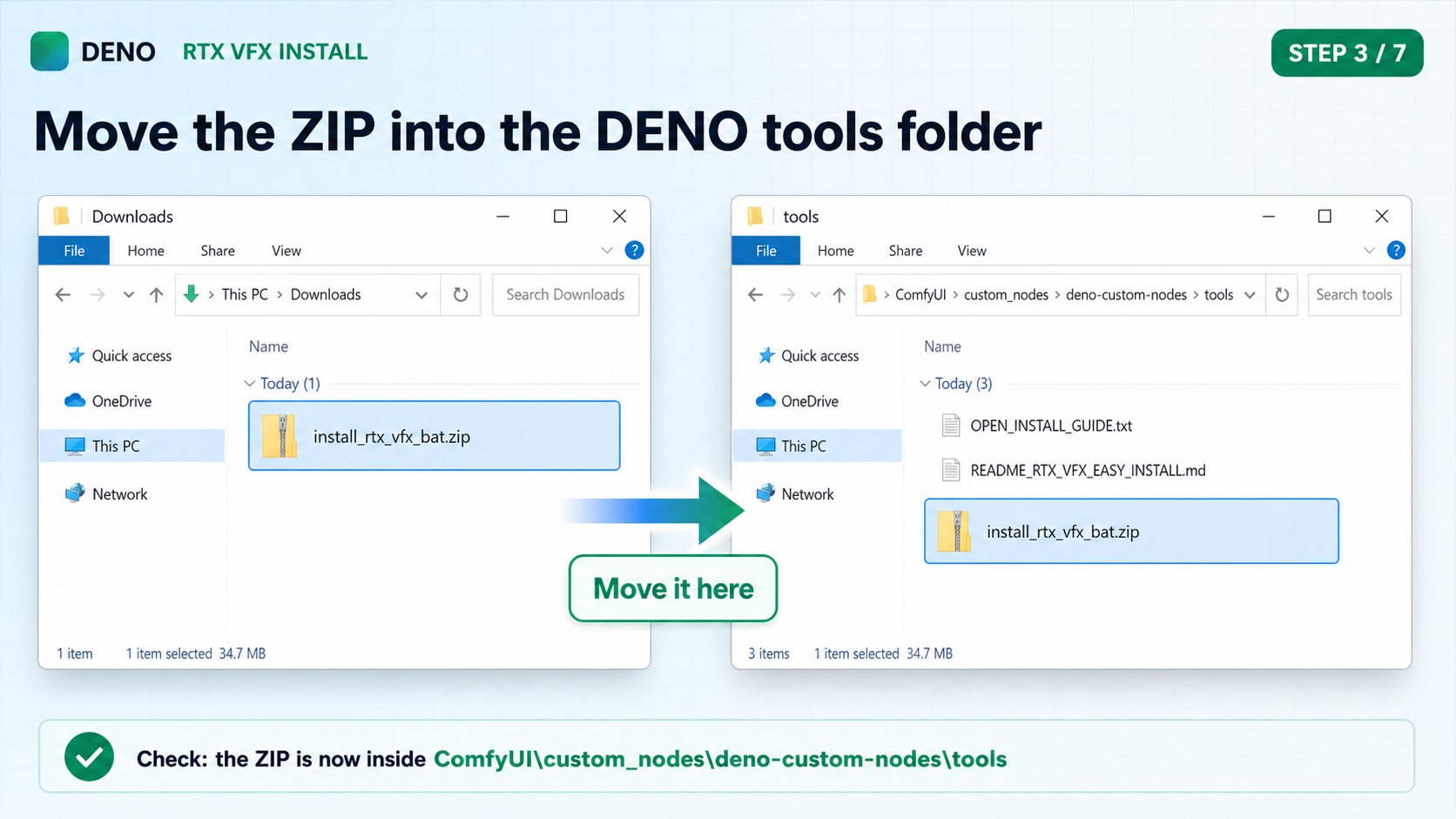
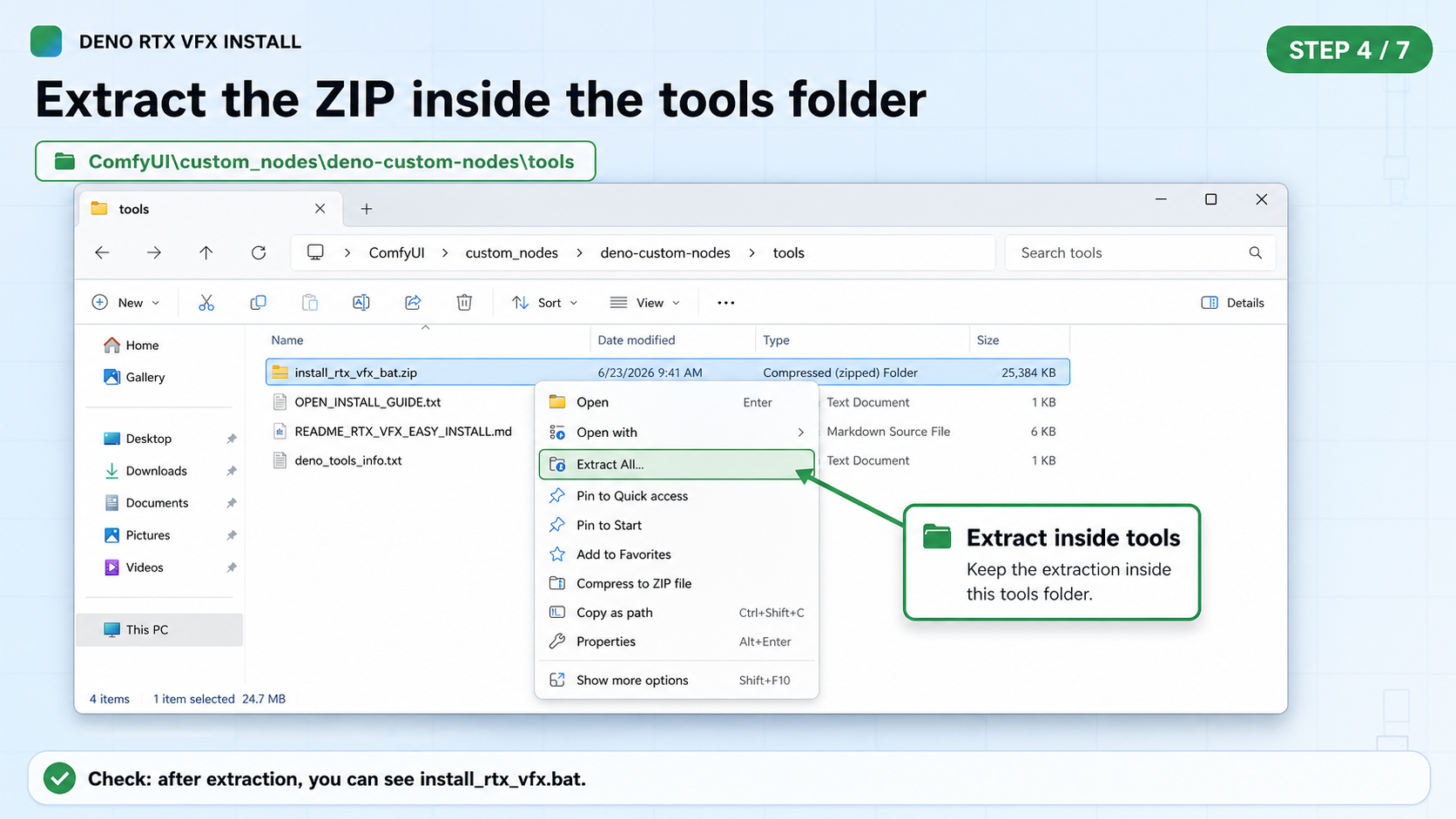
Move the downloaded ZIP into tools, then right-click it and choose Extract All.
If Windows creates an install_rtx_vfx_bat subfolder, open that subfolder and run the BAT inside it.
In ComfyUI, add (Deno) RTX Video Super Resolution. If NVIDIA RTX VFX is missing, click How to install.
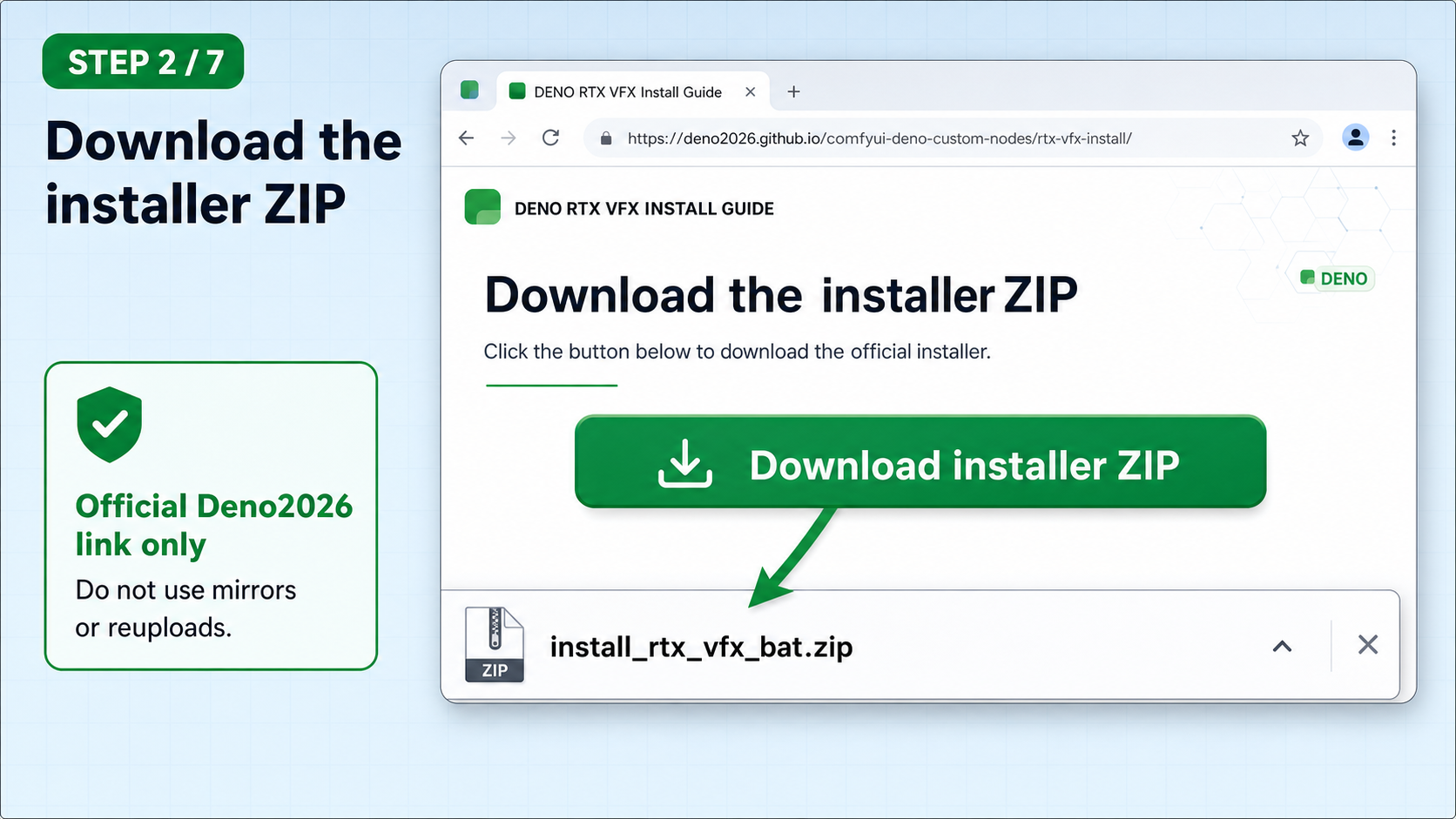
How to install.Download install_rtx_vfx_bat.zip from the official Deno2026 GitHub link. It may first appear in your Windows Downloads folder.
install_rtx_vfx_bat.zip.Open your ComfyUI install, then open custom_nodes\deno-custom-nodes\tools\. Move install_rtx_vfx_bat.zip into that tools folder.
deno-custom-nodes\tools.OPEN_INSTALL_GUIDE.txt or other DENO tools files.In deno-custom-nodes\tools, right-click install_rtx_vfx_bat.zip, choose Extract All, then press Extract.
tools folder.install_rtx_vfx.bat, either directly in tools or in a new extracted subfolder.Double-click install_rtx_vfx.bat from the extracted installer files inside deno-custom-nodes\tools. A black installer window opens.
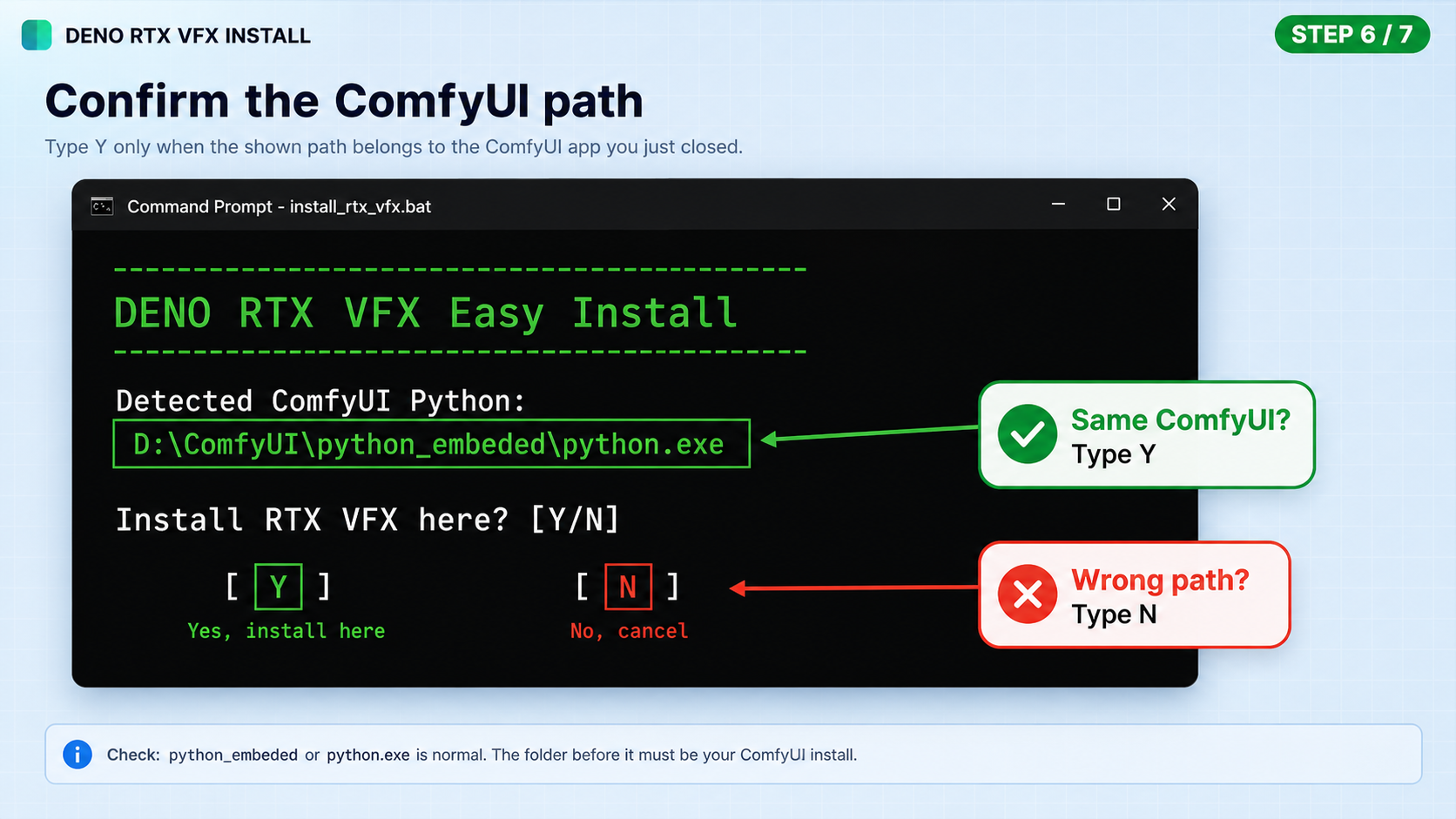
...\ComfyUI\custom_nodes\deno-custom-nodes\tools\install_rtx_vfx.bat, or the BAT inside the extracted folder under tools.The black installer window asks Install RTX VFX here? and shows a Windows path. Type Y only if that path is inside the same ComfyUI app you just closed. If it points somewhere unfamiliar, type N and stop.
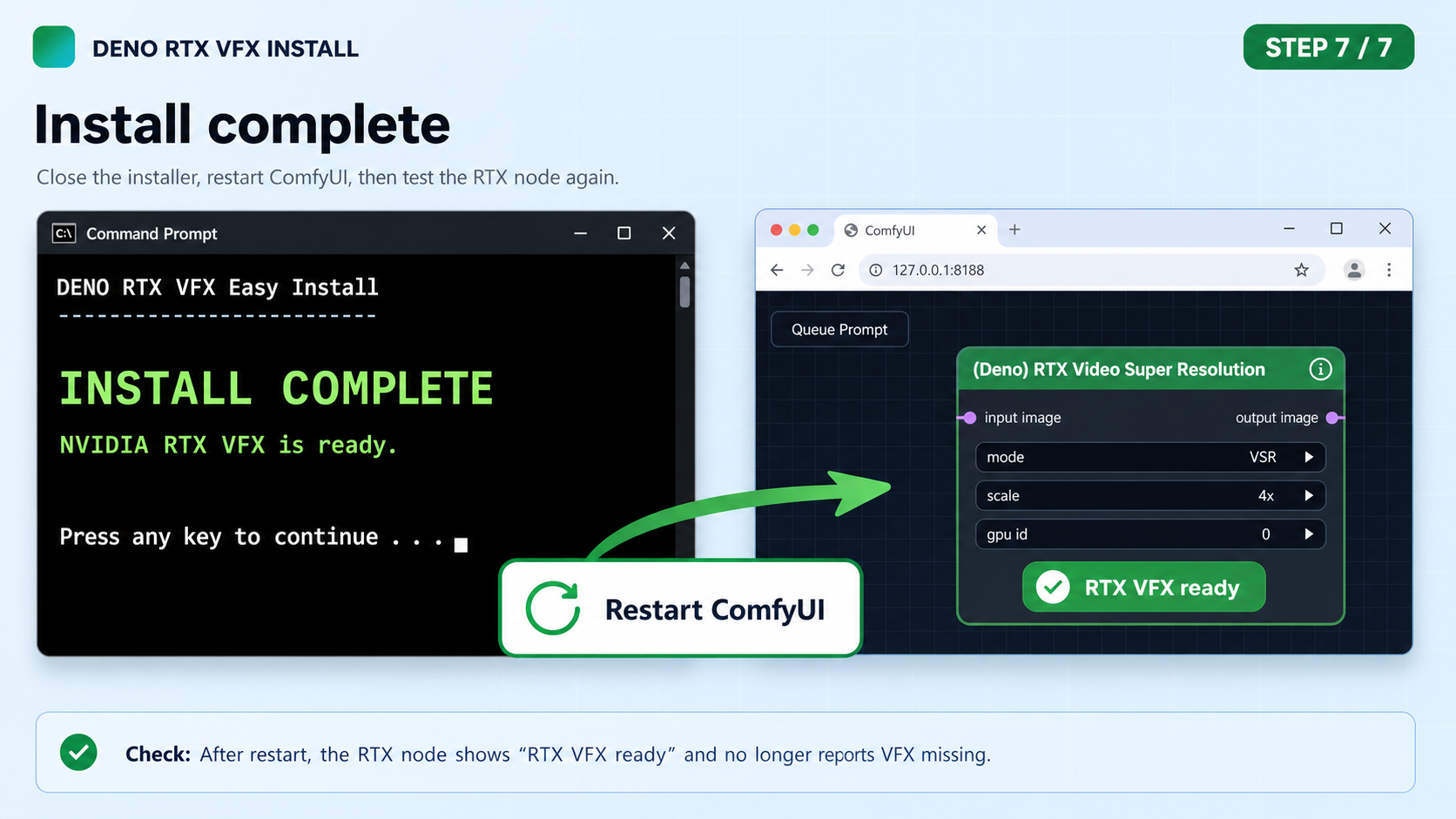
Y only when it matches.python_embeded or python.exe is normal. The important part is that the path belongs to your ComfyUI install.When the installer says INSTALL COMPLETE, close the installer window and start ComfyUI again.
If you are new to Windows ZIP/BAT installs, copy this prompt into ChatGPT and let it guide you one step at a time.
Paste it into GPT, then tell GPT what you see after each step.